Can your old Nokia phone act as your iPod in 2026?
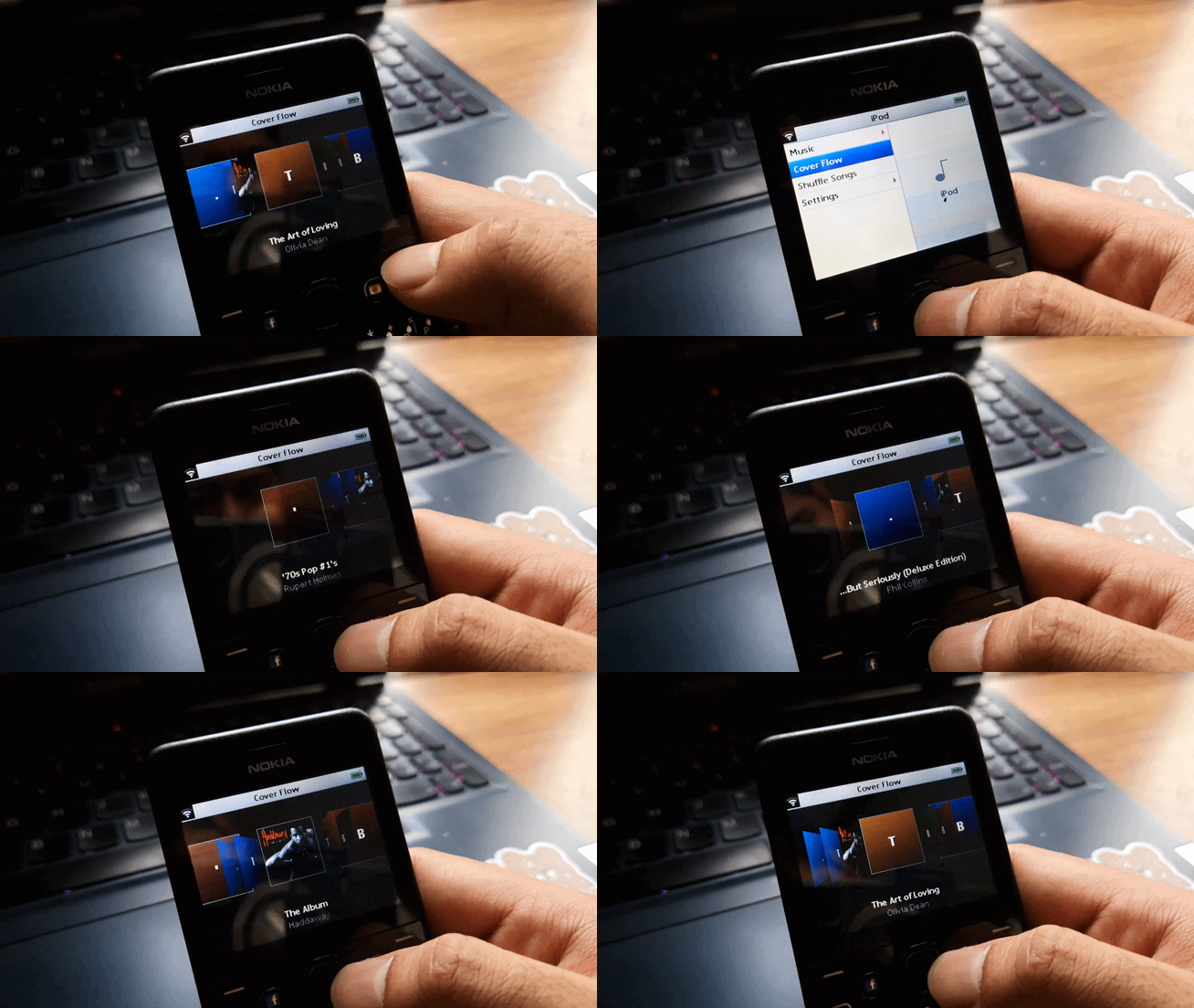
Side project, 2026. Building an iPod music interface for a Nokia Asha 210, a phone from 2013 with no app store, no graphics chip, and no development tools left alive.
In September 2026 my Galaxy S22's battery swelled up and there was not much I could do about it. So I went digging through a drawer at home and pulled out my Nokia Asha 210 from high school.
Using it felt normal for the most part. Calls, messages, the usual. One thing was missing and it was the thing I cared about most: my music. I could not run Spotify or Apple Music on it, because there is no app store for this phone anymore.
The Asha does ship with a built-in music player. I hated the interface. It is the blandest screen of its generation and nothing about it makes you want to open it twice.
Then it occurred to me that this is roughly the same class of hardware as an iPod from the same years. Small screen, physical keys, music stored locally. So why could I not make it work and look like one?
Nobody makes tools for this phone anymore
The first problem had nothing to do with music.
Series 40, the operating system this Nokia runs, has been dead for about a decade. The official development kits are gone. The emulator is gone. There is no way to preview anything on a computer first.
So every single change had to be compiled, copied to the phone over a USB cable, installed, and opened, before I could see whether it had worked. Modern Java also produces instructions this phone has never heard of, which meant the app would install perfectly and then crash the instant it tried to draw a screen. A lot of the early work was just reaching the point where anything appeared on the display at all.
It played music, and then it found nothing
The first working build played music with Cover Flow front and centre. That part went better than I expected.
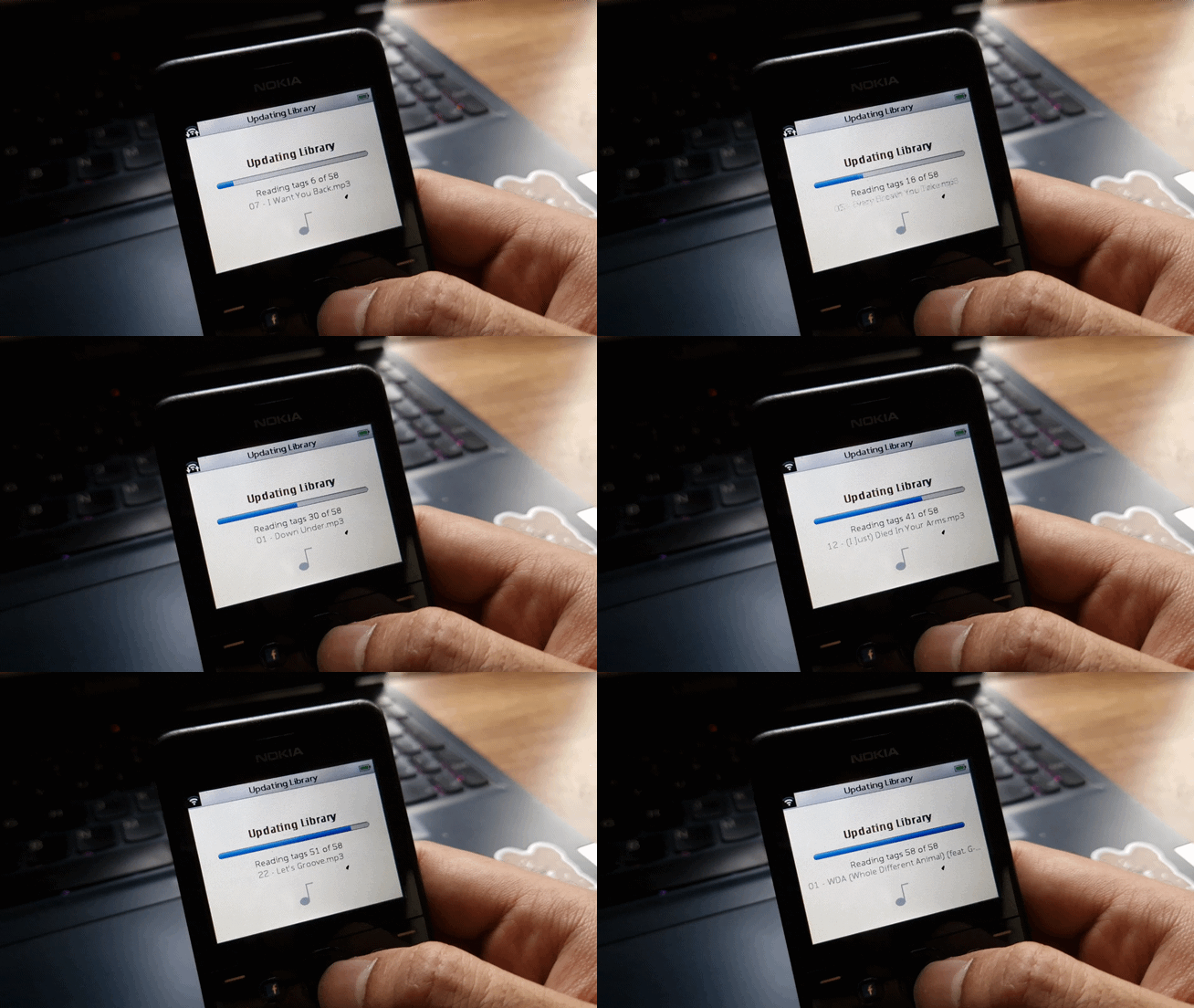
Then I tested it on a phone with music stored in internal memory rather than on the card, and the app found zero songs. It did not show an error. It just showed an empty library.
It was skipping one folder, and on Series 40 that folder is exactly where phone-memory music lives. Every failure inside the scan was being quietly ignored, so a phone full of music looked identical to an empty one.
The fix took a minute. Finding it took far longer. The lesson was not about folders. It was that failing silently is a design decision, and a bad one.
The volume control I blamed on the wrong thing
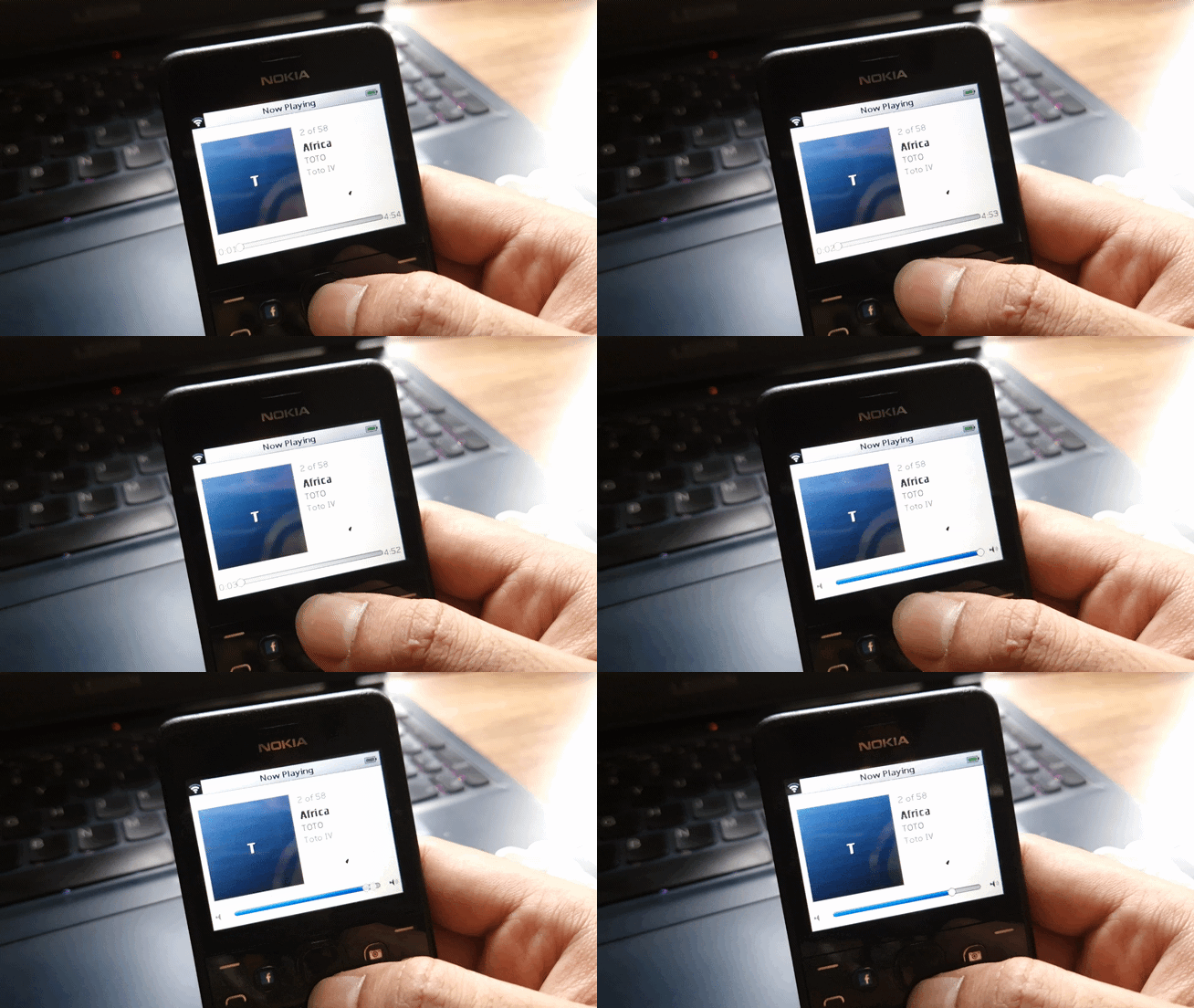
I wanted to change the volume from inside the app. It did not work, and for a while I was convinced the operating system simply did not let apps touch it.
That was wrong. It does. I was asking for it at the wrong moment, under the wrong name, and never checking whether an answer came back.
The difference between forbidden and unrealistic
The phone plays MP3, AAC, WMA, AMR, MIDI and WAV. I wanted it to play FLAC, which is not on that list.
My first conclusion was that adding a new audio format simply was not permitted. That turned out to be too strong. It is permitted. It is just that decoding FLAC as it plays needs more processing power than a 2013 feature phone has, and the phone gives an app no way to hand over raw audio even if it could keep up.
Not forbidden. Just not realistic. I had been treating those as the same thing.
The part I actually cared about
The interface was the reason I started, so it got the most time.
My first version was not really Cover Flow. It was flat squares sliding sideways in a straight line. The real thing has depth. Covers angle away from you, and when you select one it rotates and flips forward to reveal the track list. That rotation is the entire reason anyone remembers the interface.
This phone cannot rotate an image. It has no graphics chip. Every pixel on screen is placed one at a time by a processor from 2013, and asking it to turn album art in real time is not something it will ever do.
So the answer was to stop asking it to rotate anything.
Instead of turning a cover as it moves, the app draws that cover at four fixed angles ahead of time, in the background, and keeps them. When a cover slides across the screen it flips through those saved versions like a flipbook. The illusion of rotation, without ever rotating anything.
That approach works. Which is how I learned that when my perspective view kept coming out flat anyway, it was not the hardware's fault. It was four separate mistakes of mine. The angled versions were being drawn and then never put on screen. The edges were getting cut off. The left and right sides were swapped. And albums with no cover art produced nothing to tilt in the first place.
One album cover, most of the memory
For most of this project I described it as fighting 32 MB of memory, because that is the phone's specification. That was the wrong number. An app on this phone is allowed around 2 MB. The rest belongs to the system.
A single 600 by 600 album cover, once opened, takes about 1.4 MB. One album could swallow most of what the app was permitted to use.
So the app never opens cover art until the moment it has to draw it. It notes where the image sits inside the music file and goes back for it later. That is not a clever optimisation. It is the only way a library of a hundred albums fits at all.

What I took from it
The project was a hit in my books. I enjoyed working on it, and it gave me the satisfaction of building something real and shippable, even though I was the only primary user. I still want to publish it, for anyone running this exact device or another Series 40 Nokia with a 320 x 240 screen.
What it taught me was constraints. Some come from the operating system, some from the hardware, and you only find out which is which by walking into them. Half the walls I hit turned out to be my own code wearing a costume.
I could have gone further and replaced the firmware on the phone outright to get exactly what I wanted. The hardware will not allow that. Maybe I will chase that version on a Raspberry Pi instead.
date published
Sep 15, 2026
reading time
5 min